Vetting how-to
How to Onboard a Carrier as a New Freight Broker (Packet, E-Sign, Paper Trail)
By The Draylo Team · July 23, 2026
The short answer
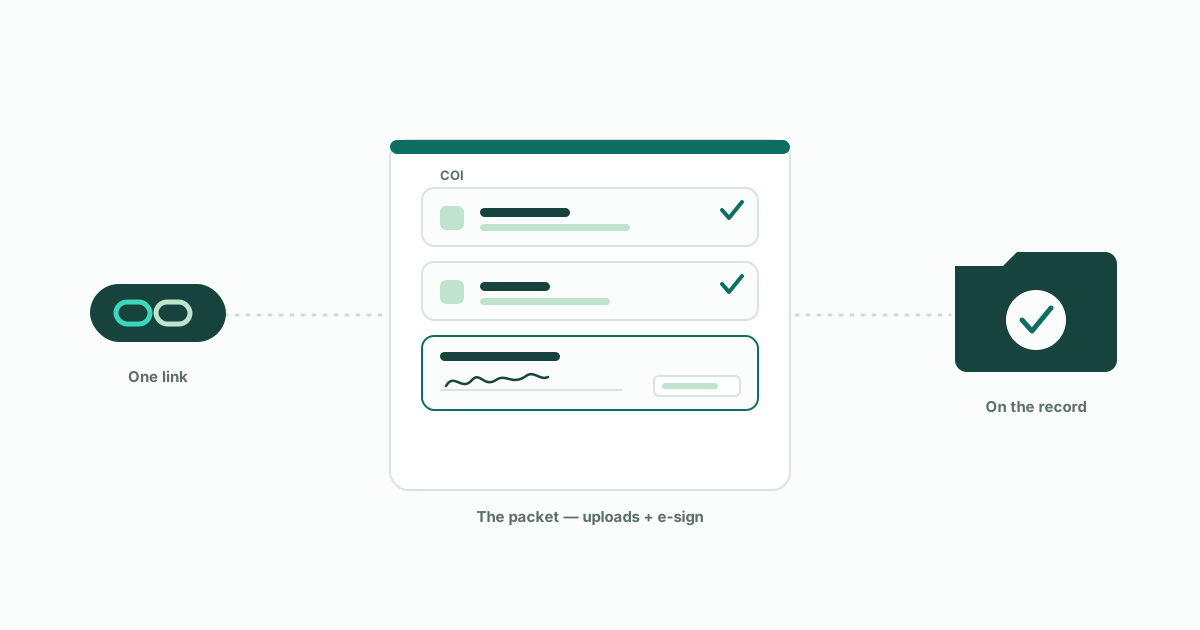
Onboarding is what happens after the vet says yes: you collect the carrier's COI, W-9, and operating-authority letter, and get your broker-carrier agreement signed — once, before the first load. The efficient way is one secure link the carrier completes from any device, with every document and the signed agreement landing on their record automatically. The agreement is a master contract covering every future load; per-load paperwork is just the rate confirmation that references it.
The short version
Vetting answers "is this carrier safe to use?" Onboarding answers "is this relationship on paper?" Before the first load moves, you collect a small set of documents — the carrier's certificate of insurance, their W-9, their operating-authority letter — and you get your broker-carrier agreement signed. Do that once, properly, and every load you tender to that carrier afterward sits on a real contractual and documentary foundation.
New brokers tend to do this over email: request the COI, chase the W-9, attach an agreement PDF, hope everything comes back. It works, slowly, until something gets lost — or until someone impersonating a carrier slips through, because email threads verify nothing. This walkthrough shows the workflow done as one secure link, using Draylo, so you can see how the pieces fit: what you send, what the carrier sees, where the signature actually goes, and what lands back on your record.
What's in the packet — and why each piece exists
The COI (certificate of insurance) is the carrier's evidence of coverage — you read it against your minimums, and it's the document your shipper contracts will care about. It has sharp edges worth knowing (a certificate is a snapshot, not proof coverage is alive today) — that's its own skill, covered in the COI walkthrough linked below.
The W-9 is simply how you pay them: you need their taxpayer information to remit and report. The operating-authority letter is the FMCSA's own document showing their authority — a belt-and-suspenders copy of what you already verified live during vetting.
The broker-carrier agreement is the one new brokers misunderstand most. It's a master contract, signed once at onboarding — not per load. It sets payment terms, insurance requirements, liability, and the clause that matters most in today's fraud environment: the carrier's promise not to re-broker your freight to someone else. Every load after that is covered by a one-page rate confirmation that references this agreement. Vetting says the carrier is safe; the signed agreement says they're bound.
Step 1 — Send one link, not five email threads
From the carrier's page, you send the onboarding packet: enter the contact email you're actually working with, and one secure link goes out. The carrier needs no account and no login — the link is the whole handshake.
There's a fraud safeguard built into this step that's worth understanding as an industry lesson, not just a feature. The email you're working with (from a load board, a phone call) is not necessarily the carrier — impersonators book loads with hijacked identities every day. So when the address you enter differs from the carrier's FMCSA-registered contact, the registered contact is notified in parallel with a one-click "this isn't us" report link. A legitimate carrier ignores it; a hijacked identity gets exposed before the paperwork completes. You get the convenience of one link without quietly trusting an unverified inbox.
Step 2 — What the carrier sees
The carrier opens a page branded with your name and color, listing exactly what you need: upload the COI, upload the W-9, upload the authority letter — and, if you've added your agreement to the packet, review and e-sign it right there. Any device, no account, a few minutes.
This matters more than convenience. Every day a carrier spends stuck in your paperwork is a day they're hauling for someone else — and for a new brokerage, looking like a shop with its act together is part of winning carriers at all. A single clean page with your name on it does that; a chain of attachment-laden emails does the opposite.
Step 3 — Where the signature actually goes (the execution page)
When the carrier clicks through to sign, they see your agreement exactly as you wrote it — and then one added page: an execution page listing the parties (your brokerage, their legal name and USDOT, the signer's name and email) with the signature and date fields. They sign there, on that page — not on whatever printed signature lines your document happens to have, which stay blank by design.
If that surprises you, here's the industry context: this is the standard signature-page model used across commercial contracting. The execution page states it is attached to and made part of the agreement, so the one signature executes every page — and the final PDF seals your agreement, the signed execution page, and a full audit report (signer identity, IP address, timestamps) under a single tamper-evident document ID. What makes an e-signed contract enforceable is the signer's intent, their identity, and document integrity — never which line the ink landed on. Your document is never modified; the signature rides an appended page that binds all of it.
Step 4 — What lands back on your record
As the carrier completes each piece, it arrives on their record on your side — no inbox archaeology. Uploaded documents are read automatically and queued for your review; the signed agreement comes back as a sealed PDF with its audit trail attached, filed on the carrier with the signer's name, email, and date visible at a glance.
Two quiet things happen at completion that are easy to miss and worth knowing. First, a confirmation goes to the carrier's FMCSA-registered contact — the bookend to the step-1 safeguard, so an intercepted link can't finish onboarding in the dark. Second, everything that just happened — what was collected, who signed, when — now exists as dated records on the carrier's file. That's the same defensible-record habit that runs through every part of brokering: the work matters, and the proof of the work matters almost as much.
Onboard once, then keep watching
That's the workflow: decide what's in your packet, send one link, let the carrier complete and sign, and let the file assemble itself. Done this way, onboarding a carrier takes minutes of your attention — and the first load can move the same day the vet clears.
One closing habit, because it separates organized brokerages from lucky ones: onboarding is a gate, not a guarantee. The carrier you papered today can lose authority or insurance next month, which is why monitoring continues after the file closes. But that's the next skill. For now: vet first, paper the relationship once, and keep every piece of it on the record.
Frequently asked questions
What documents should a freight broker collect when onboarding a carrier?
The standard packet is the carrier's certificate of insurance (COI), their W-9 for payment and tax reporting, and their FMCSA operating-authority letter — plus a signed broker-carrier agreement. Some brokerages add more for specific freight, but those four papers the relationship for most small brokerages.
Is the broker-carrier agreement signed for every load?
No — it's a master agreement signed once, at onboarding, covering every load between the two companies. Individual loads are covered by a rate confirmation that references the master agreement. If you're re-sending an agreement per load, you're doing rate-con work with contract-sized friction.
Is an e-signed broker-carrier agreement legally binding?
Yes. Under the federal ESIGN Act and state UETA laws, electronic signatures carry the same legal force as ink when the signer's intent, identity, and the document's integrity can be shown — which is exactly what an e-sign audit trail records (who signed, from where, when, on a tamper-evident document). Signature position on the page is not what makes it binding.
Why does the signature go on a separate execution page instead of the agreement's own signature line?
Because the execution page is attached to and made part of the agreement, one signature there executes the entire document — the standard signature-page model used in commercial contracts. It also means the broker's original PDF is never altered, and the parties, signer identity, and date are captured in one consistent place regardless of how the underlying agreement is formatted.
How long does carrier onboarding take?
Done over email, days — mostly waiting and chasing. Done as a single no-login link the carrier completes from their phone, the carrier's side takes a few minutes, and the broker's side is send-and-review. The practical difference is whether the first load can move the day the vet clears.
Get the next guide in your inbox
Practical guides like this one — carrier fraud, broker liability, vetting that holds up. One email when a new guide publishes; no list-blasting, unsubscribe with one reply.
Keep reading
- ›the step that comes first — vetting your first carrier, step by step
- ›the packet's sharpest edge — how to actually read the COI they upload
- ›what the finished file should contain — the defensible carrier file checklist
- ›why the registered-contact safeguard exists — anatomy of a double-brokering attempt