Vetting how-to
How to Vet Your First Carrier as a New Freight Broker (Step by Step)
By The Draylo Team · July 18, 2026
The short answer
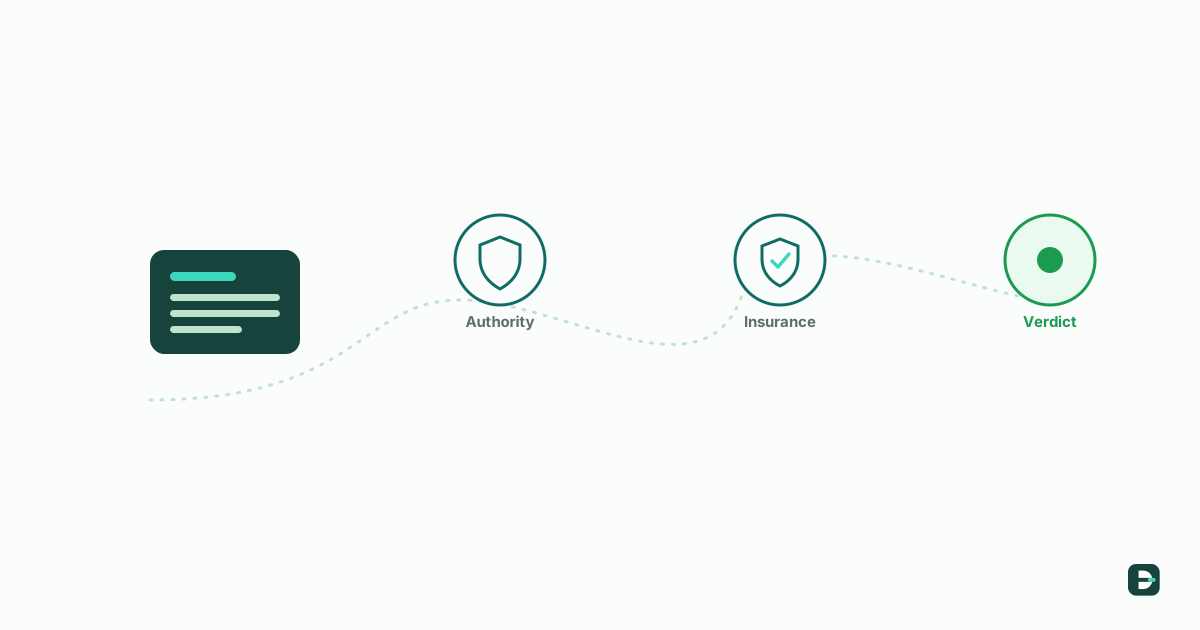
To vet a carrier, take their USDOT (or MC) number and check it against the live FMCSA federal record for four things: active operating authority, allowed-to-operate status (no out-of-service order), insurance on file, and any fraud or identity red flags. If all four are clean it's a green light; if something's off, you dig in before you tender. That's the whole job — the skill is knowing what each result means, and doing it every time.
The short version
Vetting a carrier means confirming, before you hand them a load, that they are who they say they are and that they're legally allowed to haul it. You do that by checking their USDOT number against the FMCSA — the federal agency that registers every interstate carrier — for four things: active operating authority, allowed-to-operate status, insurance on file, and any red flags on the record. If all four look clean, you're clear to move forward; if one doesn't, you slow down and look closer.
If you're brand-new to brokering, that can sound like a lot. It isn't — it's four checks against one federal record, and once you've done it a few times it takes under a minute. This walkthrough shows the exact steps, using Draylo to run them, so you can see how the whole thing fits together. The workflow is the same everywhere; Draylo just puts all four checks in one place and turns them into a plain answer.
What you need before you start
You need one thing: the carrier's USDOT number (or their MC/docket number). That's the unique ID every interstate carrier registers with the FMCSA — it's how you look them up against the real federal record instead of trusting a rate confirmation or an email, which anyone can fake. Ask the carrier for it, or find it on the paperwork they send. Everything below flows from that number.
Step 1 — Enter the carrier's USDOT number
Start by entering the carrier's USDOT or MC number and running the check. Behind that one action, Draylo pulls the carrier's live record straight from the FMCSA — not a cached copy, the current federal data — and lines it up against your rules. This is the moment that replaces the old manual process of opening the FMCSA's SAFER site, searching the number, and reading the fields yourself.
Why the live record matters: a carrier's status can change day to day — authority gets revoked, insurance lapses, an out-of-service order lands. Checking the live federal record (not a screenshot the carrier sent you) is the difference between vetting the carrier and vetting a piece of paper.
Step 2 — Read the verdict: green, yellow, red
In a few seconds you get a single verdict, in plain colors. Green means the federal record looks clean — active authority, allowed to operate, insurance on file, no red flags. Yellow means something is worth a look before you commit — a conditional safety rating, a very new authority, a small coverage question. Red means stop and dig in first — no active authority, an out-of-service order, or a hard fraud signal.
The color isn't the point — the reasoning behind it is. Every flag comes with a plain-English explanation of what it means and where it came from (the FMCSA record, or the carrier's insurance filing). You always make the final call; the verdict just makes sure you're deciding against the actual facts, not a gut feeling. As a new broker, this is the part that turns "I think they're fine" into "here's what I checked and what it showed."
Step 3 — Check insurance the right way
Insurance is where new brokers get burned, because a certificate of insurance (COI) is just a PDF — it shows coverage as of the day it was printed, not today. A carrier can hand you a valid-looking certificate after their policy was cancelled for non-payment. So "they sent me a COI" is not the same as "they're insured right now."
The reliable check has two layers: the certificate the carrier gives you, and the carrier's federally-filed insurance status, which insurers must update when a policy is cancelled. Draylo reads both — it checks the coverage on file against your minimums and flags when the federal filing shows a lapse — so you're not trusting a static PDF. The lesson to carry with you: verify insurance against the live record, not the document.
Step 4 — Record your decision (and why it matters)
Once you've looked at the verdict and the flags, you decide: approve the carrier or deny them. This is your call, always — no tool should make it for you. But here's the part new brokers don't realize matters until it does: write down what you checked and what you decided, with a date.
That dated record is your protection. After the 2026 Montgomery Supreme Court decision, a broker can be sued for negligently selecting an unsafe carrier — and your defense is showing you exercised ordinary care: here's the federal record I checked, here's what it showed, here's what I decided and when. Draylo saves every approve/deny decision as a time-stamped, tamper-evident record automatically, so the proof exists without you keeping a separate spreadsheet. Vetting protects your freight; the record protects you.
Do it every time — vetting isn't one-and-done
One more habit that separates brokers who get burned from those who don't: a carrier you cleared last month can go bad this month. Authority gets revoked, insurance lapses, an out-of-service order lands — after you onboarded them. So vetting isn't a one-time gate; it's continuous. Re-check before you tender to a carrier you haven't used recently, and keep an eye on the ones you use often. Draylo re-checks your carriers against the federal record daily and alerts you when something material changes, so you're not manually re-pulling records to stay current.
That's the whole workflow: enter the number, read the verdict, verify insurance against the live record, record your decision, and keep watching. Learn it once and it becomes second nature — and it's the core skill of brokering freight without getting taken.
Frequently asked questions
How do I vet a carrier as a new freight broker?
Take the carrier's USDOT (or MC) number and check it against the live FMCSA federal record for four things: active operating authority, allowed-to-operate status (no out-of-service order), insurance on file that meets your minimums, and any fraud or identity red flags. If all four are clean, it's a green light; if one isn't, look closer before you tender. Record what you checked and decided, with a date.
What's the difference between a USDOT number and an MC number?
A USDOT number identifies the carrier (or broker) in the FMCSA's system; an MC (motor carrier) or docket number relates to their operating authority to haul regulated freight for hire. You can look a carrier up by either — the USDOT number is the most universal starting point.
Is a certificate of insurance (COI) enough to confirm a carrier is insured?
No. A COI shows coverage as of the day it was printed, not today — a policy can be cancelled afterward while the certificate still looks valid. Check the certificate's expiration date and, for real assurance, the carrier's federally-filed insurance status, which insurers must update when a policy is cancelled.
How long does it take to vet a carrier?
Manually — pulling the FMCSA record, checking authority and insurance, and looking for red flags — it's a few minutes per carrier. With a tool that consolidates the checks into one verdict, it's under a minute, which is what makes it practical to vet every carrier every time rather than cutting corners under load-cover pressure.
Get the next guide in your inbox
Practical guides like this one — carrier fraud, broker liability, vetting that holds up. One email when a new guide publishes; no list-blasting, unsubscribe with one reply.