Vetting how-to
How to Put an Existing Carrier Book on the Record (Step-by-Step)
By The Draylo Team · July 25, 2026
The short answer
For a brokerage that already has a carrier book, the gap is usually not the vetting — it's that the paperwork lives in inboxes and folders instead of on a record. This is the step-by-step for closing that gap in one sitting: import the list, re-vet every carrier against live federal data, then walk the ones with nothing on file and attach the COIs and W-9s you already hold. What's on file becomes real, what's missing becomes visible, and the whole thing takes an afternoon rather than a project.
The question your renewal now asks
Somewhere in this year's renewal packet — the questionnaire, the underwriter call, the broker's email asking for "anything on your carrier selection procedures" — is some version of the same question: how do you decide which carriers to use, and what does that look like on paper? The legal backdrop that put it there is covered in the renewal-season documentation piece; this article is the other half — the practical one. Not why documentation matters, but how to actually produce it for a book you already run.
Because that's the honest problem for an established brokerage. You vet. You have standards. You have carriers you've run a hundred loads with and would vouch for without hesitation. What you don't have is the file: the COIs are in email threads, the W-9s are in a folder from two accounting systems ago, and nothing about the way you actually select carriers exists anywhere an underwriter — or a plaintiff's attorney — could read. The work is real; the record is scattered. This walkthrough is the afternoon that fixes the record.
Step 1 — Get the book in, and current
First, the list itself: import your carriers from whatever spreadsheet or TMS export holds them today, and run a bulk re-vet so every one of them is checked against the live federal record — authority, insurance filings, safety status, today's truth rather than the day you first cleared them. That part has its own walkthrough (finding the rot in an existing book) and takes minutes.
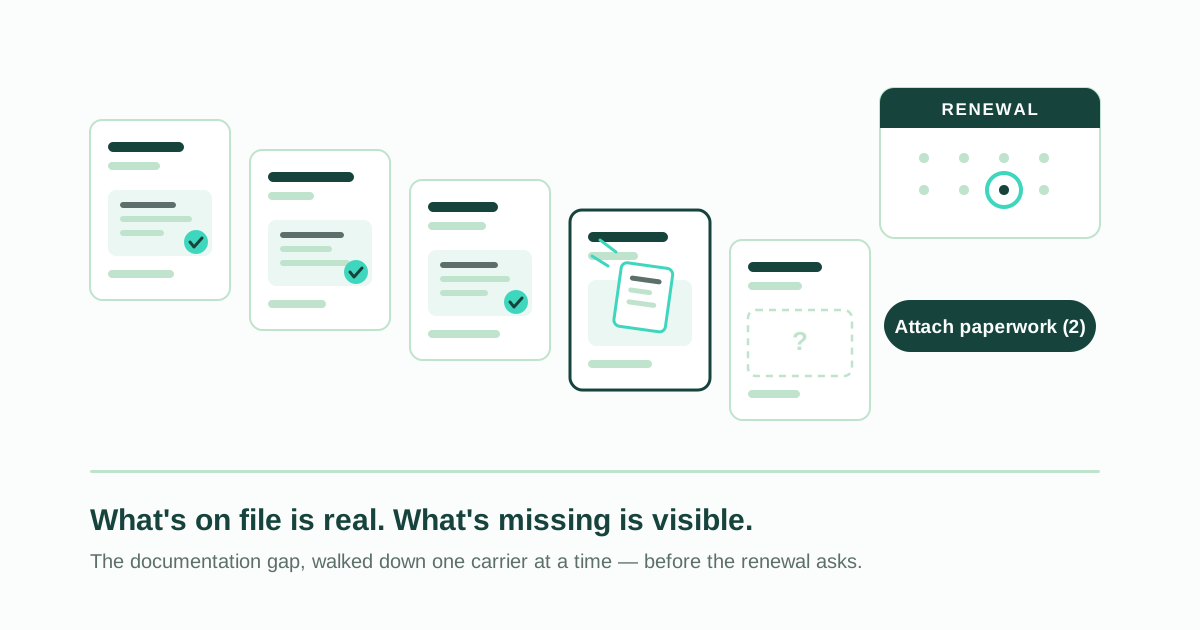
What it leaves behind is the gap this article is about. An imported book arrives as a list of names — real carriers, real history, zero documents attached. Draylo counts that gap for you: the dashboard shows "Attach paperwork" with the number of carriers that have nothing on file. That number is your renewal to-do list, and everything that follows is about walking it down.
Step 2 — Walk the gap, one carrier at a time
Click through and you're in a guided walk: every carrier with no documents on file, oldest first, one at a time. No hunting through the book for who's missing what — the queue is simply "carriers with nothing attached," so it already knows.
The one-at-a-time shape matters more than it looks. Documenting a book fails as a project because it's shapeless — forty carriers, some paper somewhere for most of them, no obvious place to start or stop. The walk gives it a shape: this carrier, right now. Deal with what you hold, move to the next. Close the tab mid-walk and nothing is lost — the queue recomputes from what's actually on file, so next visit picks up exactly where the paper ran out.
Step 3 — Attach what you already hold
For each carrier, drop in what you have: the COI from your inbox, the W-9 from the accounting folder, the authority letter if you kept one. Every upload is read and checked the same way as anywhere else in Draylo — coverage limits against your minimums, named insured against the federal record, expiration dates against the calendar. Nothing about the guided walk is a shortcut past the checks.
That's worth pausing on, because it's the difference between filing and documenting. Dragging a PDF into a folder proves you possess a document. Running it through the same extraction and fraud checks as a live vet proves the document was read — and if the certificate in your inbox expired in March, or names an insured that doesn't match the carrier, you find out now, at your desk, instead of during a claim.
Step 4 — Write down what the paperwork can't show
Some of what you know about a long-time carrier doesn't live in any PDF: hauling for you since 2023, forty loads, zero claims, dispatcher answers at night. The walk gives that a home — a note on the carrier, written in your words.
And here's the part that keeps the whole exercise honest, because it's the first question a skeptic should ask: no, this does not create records about the past. A note is working memory — it never enters the sealed audit record and never changes a verdict. Draylo won't backfill or fabricate history, full stop. Your documented record starts the day the documents go on file, and that's precisely what makes it worth something: a record that could be backdated is a record an underwriter or opposing counsel can dismiss. The history you know goes in a note; the record you can defend starts today.
Step 5 — Skip honestly, finish honestly
Nothing on hand for a carrier? Skip it. The completion screen does the honest math — walked versus skipped — and skipped carriers return to the queue next time, because they're still missing paper and the queue never pretends otherwise. There's no progress bar to game; the count is derived from what's actually on file.
The skipped carriers aren't a failure — they're the second list the afternoon produces. Those are the carriers to email for a current certificate, and that request is itself part of a selection process an underwriter recognizes: you know what's missing from every file, and you're closing it.
Step 6 — Confirm what was read
Last step: the review queue. Fields the AI read from your uploads wait there for your confirmation — insurer, limits, dates, named insured, each with a confidence score, anything uncertain highlighted for a human eye. One click confirms the lot; a wrong value gets corrected before it drives anything.
This is the step that turns an upload into a record you can stand behind. "The system read it" is a decent start; "the system read it and I confirmed it" is a process — the small, repeatable loop (collect, check, confirm, dated) that a questionnaire's process questions are actually probing for.
What this looks like at renewal time
Run the afternoon and here's what exists that didn't before: every carrier you use, checked against the live federal record on a known date. A file on each one holding the certificates and tax forms you actually possess — read, checked, and confirmed, not just stored. A visible, shrinking list of what's still missing. And from this day forward, monitoring and dated decisions accumulating on their own.
When the questionnaire asks how you select and document carriers, that's no longer an essay question — it's a description of the system you demonstrably run, with records that start on a date. Whether and how that changes your premium is your insurance broker's territory, not ours — underwriting is their world, and the honest move is to ask them what documentation would strengthen your file this cycle. What the afternoon changes is what you have to show them when they answer.
Frequently asked questions
What format does the carrier list need to be in to import?
A spreadsheet is enough. Export whatever your TMS or your own tracking sheet already holds — the USDOT number is the only column that has to be there, since everything else is pulled from the federal record on import. Extra columns are ignored rather than rejected, so you don't need to clean the file up first.
Can I create records for carriers I've worked with for years?
You can attach the real documents you hold today and write the history into notes — but no, you cannot backdate records, and you shouldn't want to. A record that could be fabricated after the fact is worthless exactly when you need it. The documented record starts the day the documents go on file; the years of history you know go in notes, clearly separated from the sealed audit trail.
How long does it take to document an existing carrier book?
Import and bulk re-vet take minutes. The guided walk depends on how much paper you actually hold — attaching a COI and W-9 per carrier is under a minute each, so a 40-carrier book where you hold paper for half is a single afternoon. The queue keeps count of the remainder, so what doesn't get done today stays visible instead of forgotten.
What if I don't have paperwork for some of my carriers?
Skip them — honestly. They stay in the queue because they're still missing paper, and that list becomes your certificate-request list: a short email to each carrier asking for a current COI. Requesting current certificates is itself part of a selection process an underwriter recognizes, and the replies land in the same checked, confirmed file as everything else.
Do the uploaded documents go into the audit trail?
Documents go on the carrier's file, marked broker-sourced, with their extraction checked and confirmed — and decisions you record from then on reference what was on file at decision time. Notes deliberately do not enter the sealed audit record: they're working memory, mutable and deletable, kept structurally separate so the tamper-evident record stays exactly that.
Get the next guide in your inbox
Practical guides like this one — carrier fraud, broker liability, vetting that holds up. One email when a new guide publishes; no list-blasting, unsubscribe with one reply.