Vetting how-to
What Draylo Actually Does When You Turn On a Defense Layer
By The Draylo Team · July 18, 2026
The short answer
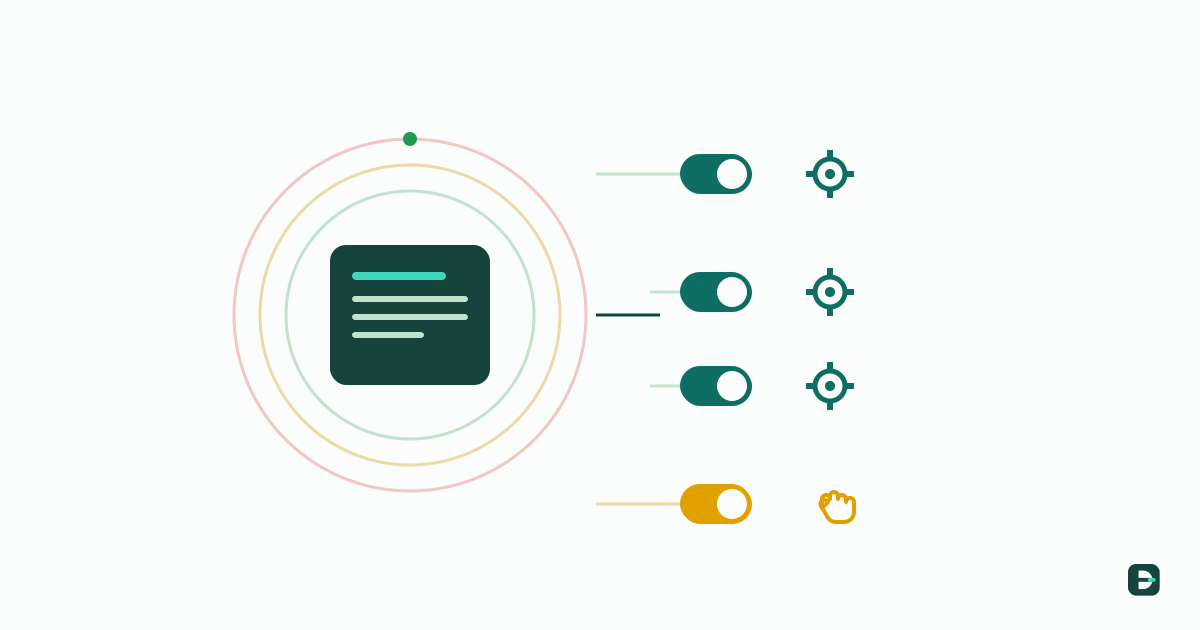
In Draylo, defense-in-depth is a set of optional layers you switch on for a load (or a reusable profile) on top of an always-on base check — not a list of things you go do by hand. Three of the four layers run automatically once activated: out-of-band contact verification sends the confirmation itself to the carrier's FMCSA-registered contact, the new-entity coherence check computes carrier newness and identity coherence, and elevated insurance re-runs the coverage engine against a higher floor. Only VIN + CDL at pickup is a physical dockside step — and even there the app's job is to require and record it. You choose the layers; the app does the work.
The short answer
Draylo's defense-in-depth is modular: every carrier always clears a base check (active operating authority, allowed-to-operate status, insurance on file, federal-record red flags), and above that base you switch on optional layers for the loads that warrant them. The important part — and the part people miss — is that these layers are not a manual checklist you work through outside the tool. You turn a layer on for a load or a profile, and Draylo runs it as part of the vet.
That distinction matters because "defense in depth" can sound like more homework: more calls to make, more boxes to tick by hand. In Draylo it's the opposite. Three of the four layers are things the app does for you once they're active; the fourth is a physical check at the dock that the app makes sure you actually perform and record. Below is exactly what each layer does when you switch it on — and where a human still has to act.
How you turn a layer on
You don't decide the whole stack fresh on every load. You build check profiles once — "standard," "high-value," "new carrier" — in Settings, deciding which layers each profile carries, then apply a profile to a load. When a specific tender needs a closer look, you can add a layer to just that load on top of its profile. Layers are add-only by design: applying one can raise a load's verdict but never soften the base, so you can't accidentally configure your way below the floor.
So the workflow is: set your policy once, let it apply by default, and dial an individual load up when something about it warrants it. And you're not deciding blind — when a load's own facts imply layers that aren't on its stack (a newly-registered carrier, a theft-target commodity, a high declared value), Draylo suggests them with the reason spelled out, and one click applies them. Advisory, never auto-applied. The rest of this post is what each layer actually does once it's on.
Layer 1 — Out-of-band contact verification (the app sends it)
This is the layer that catches identity fraud, and it's the one brokers most often skip under load-cover pressure because doing it by hand means digging the real contact out of the federal record and reaching them separately. When you switch this layer on, Draylo does that for you: once the carrier's required documents are on file, the app automatically sends a completion confirmation to the carrier contact registered with FMCSA — not the phone or email on the rate confirmation, which is exactly what an impostor controls.
The verdict then reacts to what comes back. If the FMCSA-registered contact reports that they did not initiate this onboarding, Draylo flags the load red and holds it — do not tender until the identity is resolved. If the confirmation simply hasn't gone out yet (documents still pending), the layer shows yellow so you know it hasn't cleared. You don't compose or send anything; the app runs the out-of-band loop and surfaces the result.
Layer 2 — New-entity coherence (the app computes it)
Newly registered authorities are where identity-takeover and "chameleon" scams live, so this layer scrutinizes them harder. When it's on, Draylo reads the carrier's FMCSA registration date and, if the authority is under a year old, raises a verify-identity flag on the load — automatically, from the federal record. Established carriers clear silently; the layer is specifically about new entities.
It also surfaces the coherence signals Draylo already computed during vetting — things like a contact domain that was registered after the carrier's authority, or a domain name that doesn't match the carrier's legal name. These are the tells that a new entity's identity doesn't hang together. The app does the date math and the coherence read; your job is to confirm the new carrier's identity through an independently sourced number before tendering, which the flag tells you to do and explains why for that specific carrier.
Layer 3 — Elevated insurance minimums (the app re-runs coverage)
For a high-value load, your standard insurance floor may not be enough. Switch this layer on and Draylo re-runs its coverage engine against a higher minimum — the greater of your base requirement and the profile's elevated number, so a profile can only raise the bar, never lower it. It reads the certificate of insurance on file and flags any line (auto liability, cargo, general) that is missing, expired, or below the elevated minimum.
This is fully automatic — the app reads the COI and does the comparison; you don't recalculate anything. It's the same coverage engine the base check uses, just pointed at a taller bar for the loads that earn it. You act on the flag, not on the arithmetic.
Layer 4 — VIN + CDL at pickup (the app verifies the truck, records the driver)
The final check is physical: does the truck and driver that actually show up match who the carrier dispatched? That happens at the dock, not your desk — so when this layer is on, Draylo generates a capture link you send to the pickup contact. The person at the dock opens it on their phone (no login), types the truck's VIN, and snaps a photo of the VIN plate and the driver's CDL.
Here's the part that makes it a real check and not just a photo on file: Draylo decodes the VIN through the federal NHTSA database and cross-checks it against what the carrier said they'd send. If the VIN decodes to a passenger car instead of a tractor, or to a different make or year than was dispatched, or the unit number doesn't match — the load flags before you release it. That's the app catching a truck swap at the dock, not just documenting one after the fact.
The CDL is different, and we're straight about it: there's no public system that lets a broker verify a CDL is genuine, so Draylo captures and stores it as dated evidence — it does not claim to have verified it. You still eyeball the name and photo. Everything lands in an immutable record: the VIN decode, any flags, and the photos — exactly what a defensible carrier file needs, and the proof of what actually showed up at the dock.
Automatic vs. manual, at a glance
Here's the whole model in one view — what Draylo does when each layer is active, and where a human still has to act:
| Layer | What Draylo does when it's on | What the human still does |
|---|---|---|
| Base check (always on) | Verifies authority, allowed-to-operate, insurance on file, and federal red flags on every carrier | Nothing — it always runs |
| Out-of-band contact | Automatically sends the confirmation to the FMCSA-registered contact; flags red if they dispute it | Don't tender while it's red |
| New-entity coherence | Reads the registration date, flags carriers under a year old, and surfaces identity-coherence signals | Confirm identity via an independent number before tendering |
| Elevated insurance | Re-runs the coverage engine against a higher floor and flags missing/expired/below coverage | Act on the flag |
| VIN + CDL at pickup | Decodes the captured VIN (NHTSA) and flags a wrong or substituted truck; stores the CDL as dated evidence | Snap the VIN + CDL photos at the dock; eyeball the CDL |
Why it's built this way
The design goal is to make proportional, defensible vetting something a one-person brokerage can actually run — not a checklist that adds work, but a set of switches that add protection. You decide how deep to vet each load, because you hold the liability for carrier selection; the app carries out the checks you turned on. The floor keeps you safe on everything; the layers are yours to choose, and the app does the running.
If you want the reasoning behind choosing layers per load — how to read a load's risk and decide how deep to go — see the case for broker-chosen, risk-based vetting. For the legal backdrop that puts the liability on you in the first place, start with what "ordinary care" now requires after Montgomery.
Frequently asked questions
Is defense-in-depth in Draylo a manual checklist?
No. It's a set of optional layers you switch on for a load or a reusable profile, and the app runs them as part of the vet. Three of the four layers are automatic once activated — out-of-band contact verification sends the confirmation itself, the new-entity coherence check computes carrier newness and identity coherence, and elevated insurance re-runs the coverage engine against a higher floor. Only the VIN + CDL check at pickup is a physical step, and the app requires and records it.
What does the out-of-band contact layer actually do?
When it's on, Draylo automatically sends a completion confirmation to the carrier contact registered with FMCSA — not the contact on the rate confirmation — once required documents are on file. If that registered contact reports they didn't initiate the onboarding, the load is flagged red and held until the identity is resolved. You don't send anything by hand; the app runs the loop.
How does the new-entity coherence check work?
It reads the carrier's FMCSA registration date and, if the authority is under a year old, raises a verify-identity flag on the load. It also surfaces coherence signals computed during vetting — such as a contact domain registered after the carrier's authority, or a domain that doesn't match the legal name. Established carriers clear silently. You confirm the new entity's identity through an independent number before tendering.
Do I have to do the VIN and CDL check myself?
Yes — that one is physical and happens at the dock, so no software can do it for you. What Draylo does is require the confirmation and record it in your decision rationale before the load clears, so the step isn't quietly skipped and it lands in your dated, defensible record.
Do the layers ever weaken the base check?
No. Layers are add-only by design: applying one can raise a load's verdict but never lower it, and elevated insurance minimums are the greater of your base requirement and the profile's number. The base check always runs on every carrier regardless of which layers you add, so you can't configure your way below the floor.
Get the next guide in your inbox
Practical guides like this one — carrier fraud, broker liability, vetting that holds up. One email when a new guide publishes; no list-blasting, unsubscribe with one reply.
Keep reading
- ›when and why to add each layer — the case for broker-chosen, risk-based vetting
- ›the fraud these layers defend against — anatomy of a double-brokering attempt
- ›where the recorded VIN/CDL confirmation lands — the defensible carrier file
- ›why the depth of your defense is your call — broker liability after Montgomery